
Test Emails
Let a user send themselves the template they're editing, so they can see it land in a real inbox before it goes anywhere near a campaign.
The editor owns the trigger, the dialog, recipient validation, and the sending / success / error states. You own delivery. One method is enough.
Quick start
import { init } from '@templatical/editor';

await init({
  container: '#editor',
  testEmail: {
    send: async ({ recipient, content }) => {
      const res = await fetch('/api/test-email', {
        method: 'POST',
        headers: { 'Content-Type': 'application/json' },
        body: JSON.stringify({ recipient, content }),
      });
      if (!res.ok) throw new Error('Could not send the test email');
    },
  },
});
That's the whole integration. A Test button appears in the editor header; clicking it opens a dialog, and the address the user picks is handed to your send.
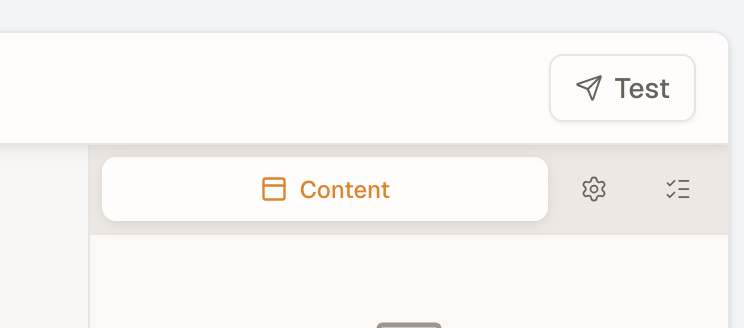
Omit testEmail and the feature is completely absent — no button, and none of its UI code is downloaded.
The payload
interface TestEmailPayload {
  recipient: string;
  content: TemplateContent;      // always present
  mjml?: string;                 // only when `includeMjml` is set
  allowedRecipients?: string[];  // only when you configured one — untrusted, see below
}
Reject with a message and the dialog shows it inline and stays open, so the user can retry:
send: async ({ recipient, content }) => {
  const res = await fetch('/api/test-email', { /* … */ });
  if (res.status === 429) throw new Error('Too many test emails — try again in a minute.');
  if (!res.ok) throw new Error('Could not send the test email.');
}
The message reaches the user verbatim, so write it for them rather than logging a status code.
Rendering to HTML
content is the template as JSON. Your mail service needs HTML, so compile it server-side with @templatical/renderer plus an MJML compiler:
// On your server
import { renderToMjml } from '@templatical/renderer';
import mjml2html from 'mjml';

app.post('/api/test-email', async (req, res) => {
  const { recipient, content } = req.body;

  // Validate the recipient here — see "Restricting recipients" below.
  const mjml = await renderToMjml(content);
  const { html } = mjml2html(mjml);

  await mailer.send({ to: recipient, subject: 'Test email', html });
  res.sendStatus(204);
});
Letting the editor render the MJML
If you'd rather not call renderToMjml yourself, set includeMjml and the payload carries it:
testEmail: {
  includeMjml: true,
  send: async ({ recipient, mjml }) => { /* compile `mjml` → HTML and send */ },
}
This requires @templatical/renderer to be installed — it's an optional peer dependency. Two behaviours worth knowing:
- If it isn't installed, the send still happens with JSON only,
mjmlis absent, and the editor logs one warning naming the package. Opting in never breaks sending, so always guard formjmlbeing undefined. - If rendering fails — a malformed custom block, say — the send is aborted and the error shows in the dialog. That's deliberate: silently mailing without the MJML would hide a broken template.
You still compile MJML → HTML yourself either way. The editor never bundles an MJML compiler.
Restricting recipients
By default the dialog accepts any address. Pass allowedRecipients to restrict it:
testEmail: {
  allowedRecipients: [currentUser.email, '[email protected]'],
  send: async ({ recipient, content }) => { /* … */ },
}| Value | The dialog shows |
|---|---|
| omitted | a free-text field, validated for shape |
| one entry | a read-only field, pre-filled |
| several | a picker of exactly those addresses |
[] (empty) | nothing — the feature reports itself unavailable and no button renders |
An empty array is read as a decision ("nobody may be sent to"), not as "unset". Use defaultRecipient to pre-select a specific entry; it's ignored if it isn't on the list.
This is not a security boundary
allowedRecipients lives in the user's browser and is trivially edited there. It restricts the picker, nothing more.
Validate the recipient on your server, every time. Without that, your endpoint is an open relay — anyone who can reach it can mail arbitrary addresses from your domain.
The payload echoes the list back as allowedRecipients so one send implementation stays portable between your backend and Templatical Cloud. It is untrusted — unsigned, and read out of the browser. It's useful for one thing beyond portability: comparing it against recipient server-side, where a mismatch means the client was tampered with or is buggy, which is worth logging.
What the user sees
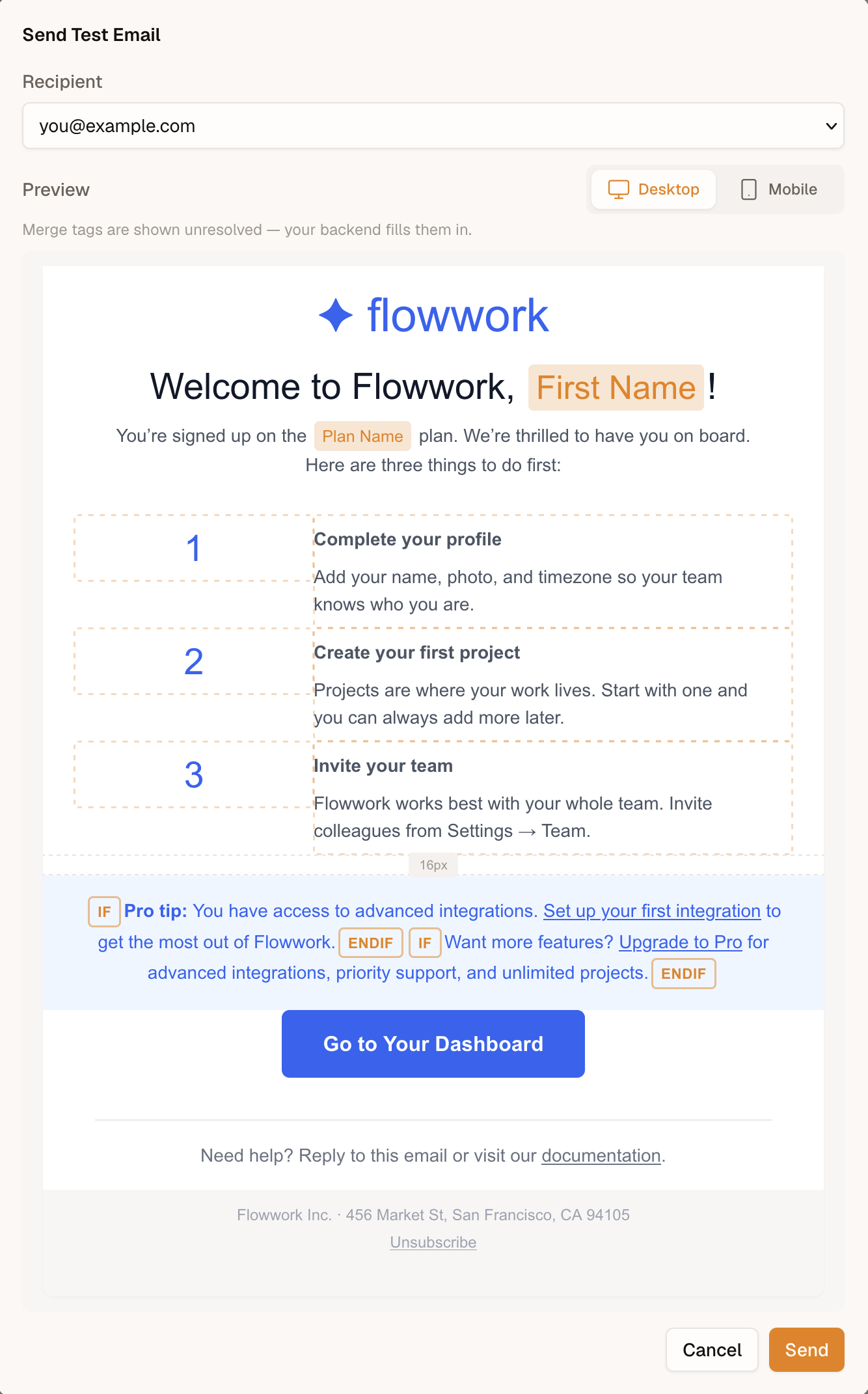
- A Test button in the editor header.
- A dialog with the recipient control described above.
- A live preview of the template (see below).
- Send → a spinner, then a brief confirmation, then the dialog closes itself.
- On failure, the dialog stays open with your error message inline.
The preview
The dialog shows the template chrome-free at email width, with a desktop / mobile switch, so a user confirms what they're sending without leaving the dialog.
It is accurate about two things that a naive preview would get wrong:
- Display conditions are honoured. A block excluded by a condition is omitted, so the preview never shows content the recipient won't receive.
- Responsive blocks follow the switch. Templates with device-specific blocks render the variant a recipient on that device would get, rather than always the desktop one.
What the preview shows for merge tags depends on how much you have configured — labels by default, MergeTag.sample values if you set them, or data resolved by your own backend if you wire resolvePreview, in which case it resolves for the selected recipient. See Preview Rendering; the dialog states which of the three is in effect beneath the switch.
Even fully resolved it is not a byte-for-byte preview of the delivered email: the real message is compiled HTML rendered by a mail client. Treat it as "is this the right template, with the right data?", not "is this exactly what lands in the inbox?".
The preview rides the dialog's own lazily-loaded chunk, so a consumer who never configures testEmail downloads none of it.