Getting Started
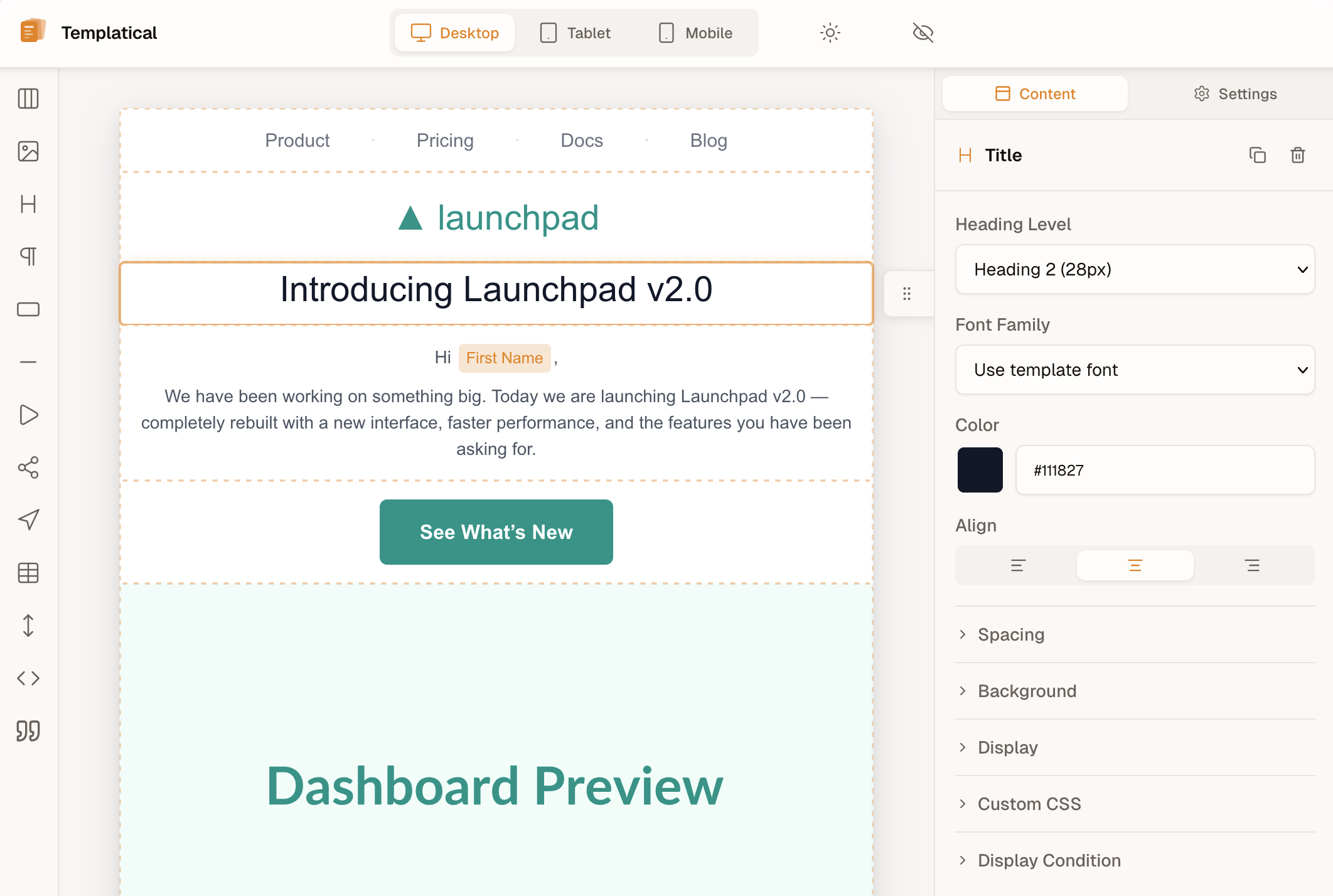
The Templatical SDK is a JavaScript library that embeds a complete email template editor into your product. Your users can visually design responsive email templates and export them as raw HTML — all without leaving your application.
Key Features
- Drag-and-drop editor — Block-based interface with text, images, buttons, videos, social links, dividers, spacers, and custom HTML
- Responsive previews — Preview across desktop, tablet, and mobile viewports
- Media library — Image management with folders, search, cropping, and upload
- Template versioning — Automatic snapshots with version history and restore
- Merge tags — Dynamic variables like
{{first_name}}with syntax preset support - Display conditions — Conditionally show or hide blocks based on recipient data
- HTML & MJML export — Production-ready HTML or raw MJML source
- Test emails — Send test emails directly from the editor
- Auto-save — Configurable automatic saving with debounce control
- Theming — Customize the editor to match your brand
- Custom blocks — Define domain-specific content blocks (product cards, event listings, etc.) with declarative configuration
- Localization — English and German built-in, more locales coming
How It Works
The SDK follows a secure, backend-proxy authentication pattern:
- Your frontend loads the SDK and tells it where to get an access token
- Your backend sends your API credentials to the Templatical token endpoint (
POST https://templatical.com/api/v1/auth/token) and forwards the access token back to the SDK - The SDK uses the token to communicate directly with the Templatical API
- Your users create and edit templates using the visual editor
- On save, the SDK fires a callback with the raw HTML for your application to store and use
Your API credentials stay secure on your server. The SDK only receives short-lived access tokens.
Quick Example
The SDK requires a container element to render into. The container must exist in the DOM before calling init().
<div id="email-editor"></div>Pass a CSS selector string to bind the editor to the container:
import { init } from '@templatical/embedded';
const editor = await init({
container: '#email-editor',
auth: {
url: 'https://your-app.com/api/token',
},
onSave: (result) => {
console.log('Saved HTML:', result.html);
},
});Concepts
Projects
A project maps to a product or application in your system. Each project has its own API keys, settings, and plan limits. If you have multiple products that need email editing, create a separate project for each.
Tenants
A tenant represents an isolated user or organization within your product. Templates, media, and storage are scoped per tenant — invisible to other tenants.
For example, if your product is an event management platform:
- Project = Your event management platform
- Tenant = Each event organizer (your customer)
Templates
A template is an email design stored as structured content (blocks and settings). Templates can be created from scratch, loaded by ID for editing, exported as HTML, and versioned with automatic snapshots.
Blocks
Templates are composed of blocks — draggable content elements:
| Block | Description |
|---|---|
| Section | Layout containers with 1, 2, or 3 column configurations |
| Text | Rich text with formatting (bold, italic, links, colors, alignment) |
| Image | Responsive images with optional links and alt text |
| Button | Call-to-action buttons with customizable colors and border radius |
| Divider | Horizontal lines (solid, dashed, or dotted) |
| Video | YouTube/Vimeo thumbnails with click-to-play links |
| Spacer | Vertical spacing with configurable height |
| Social | Social media icons for 16+ platforms |
| HTML | Custom HTML code (available on supported plans) |
| Custom | Consumer-defined blocks with custom fields and Liquid templates (Scale plan) |
Next Steps
- Installation — Install the SDK via CDN or npm
- Authentication — Set up the backend token endpoint
- Configuration — All configuration options, callbacks, and instance methods
- Merge Tags — Configure dynamic variables and syntax presets
- Display Conditions — Block-level conditional visibility
- Custom Blocks — Define domain-specific content blocks